Getting Started
Updated Oct 18, 2026
Overview
This page helps you go from a fresh Matterly install to a working firm in under an hour.
Features you will set up
- Platform Super Admin login
- SMTP so emails leave the server
- At least one subscription plan
- Your first firm and firm admin
- Service types, services, and a test matter
Step-by-step
- Complete the Installer until you see Installation Complete.
- Sign in at
/loginwith your Super Admin account. - Open Settings → Email (SMTP) and click Test SMTP.
- (Optional) Open Settings → AI / OpenAI and click Test OpenAI.
- Create a plan under Plans & Pricing.
- Create a firm under Firms (include the firm admin email/password).
- Click Impersonate on that firm.
- Create a Service Type, then Services services.
- Create a Matter, then confirm the client received email.
- Publish the Website Builder page so clients can book online.
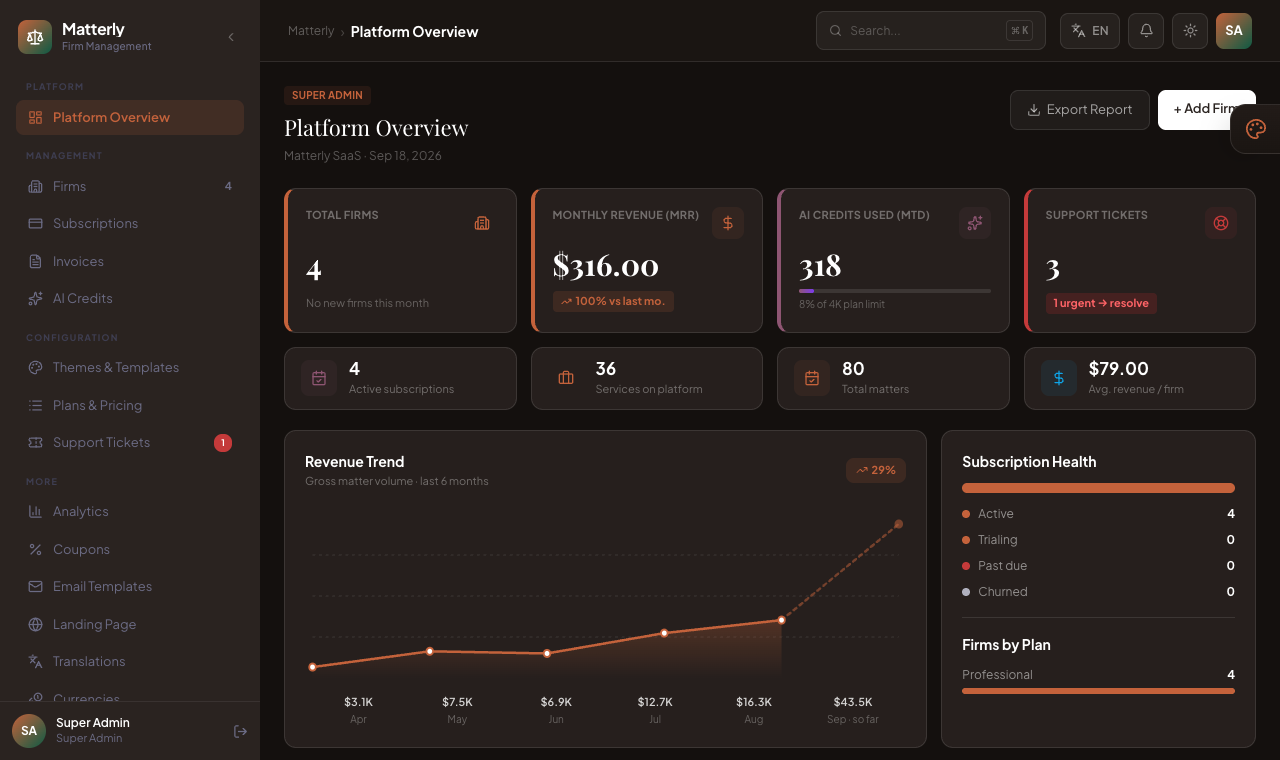
Once you sign in as Super Admin, you land on the Platform Overview, the starting point for managing the platform:
Notes
Tip: Use demo seed data on local installs to explore menus quickly. Never leave demo passwords on production.
Best Practices
- Configure SMTP before inviting firms.
- Create a strong Super Admin password at install time.
- Run one full matter path (create → start → close → invoice) before go-live.